LESSON MANAGEMENT FOR INDEPENDENT TEACHERS
Less admin.
More teaching.
Keep students, schedules, remaining lessons, attendance, make-up lessons and payment records together. Built for tutors, music teachers and small teaching studios.
iPhone / iPad · Android
Free for up to 10 students. In-app purchases available.
01
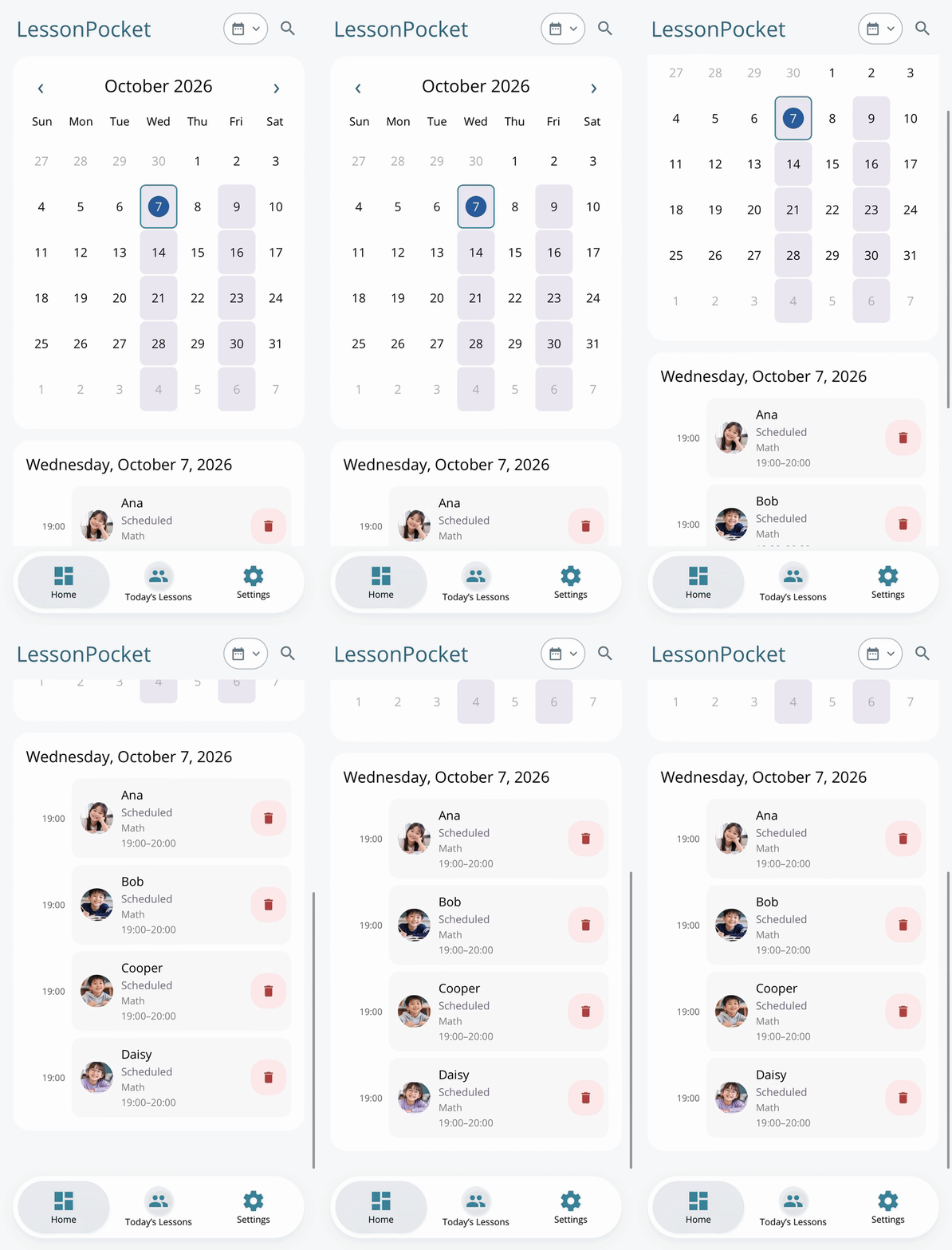
Know what is left
Check each student’s course and remaining lessons before the next session.
02
Keep make-ups clear
Record attendance, absences and make-up status without searching old messages.
03
Explain fees clearly
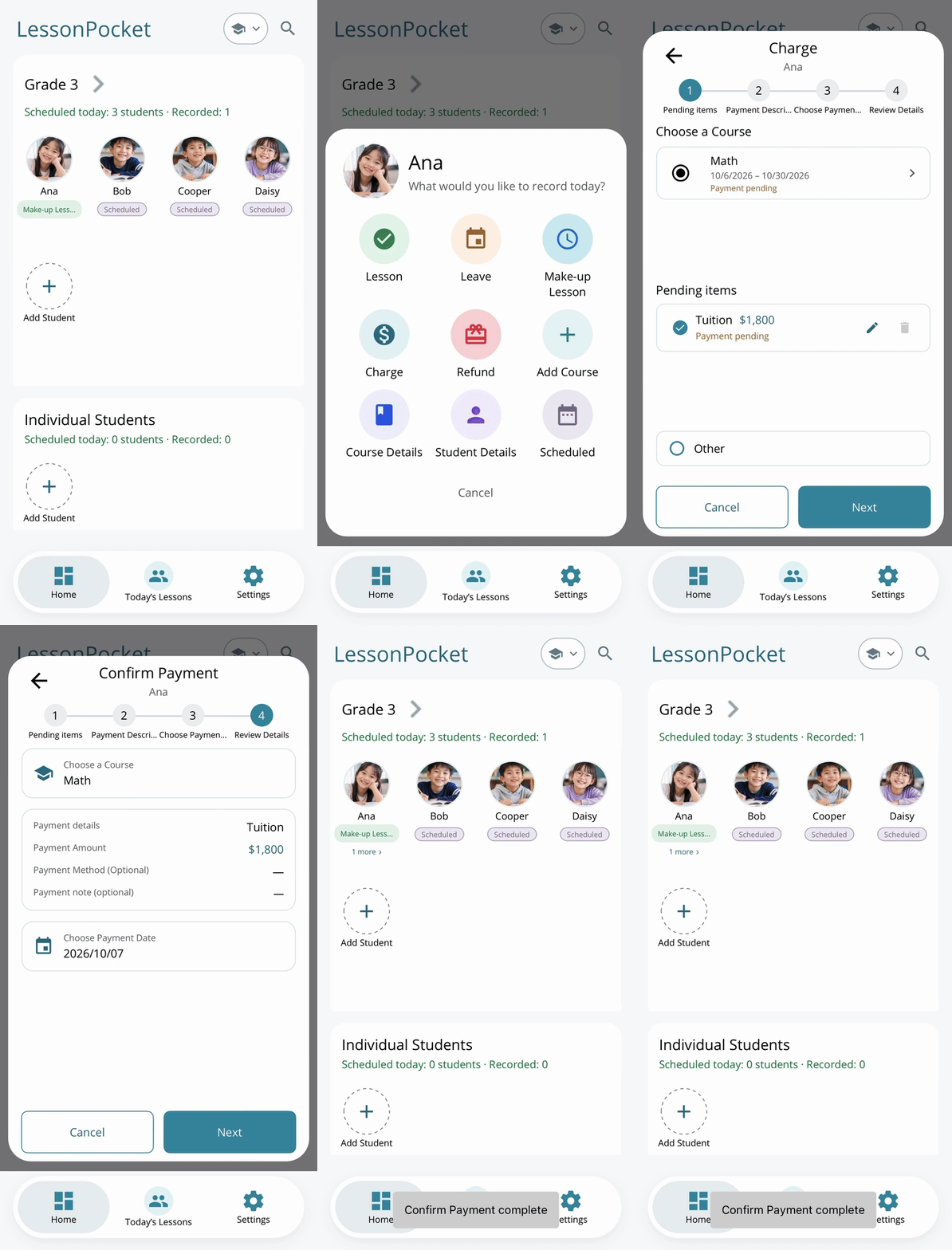
Keep payment records and share a clear payment summary as an image.
01 / STUDENTS & COURSES
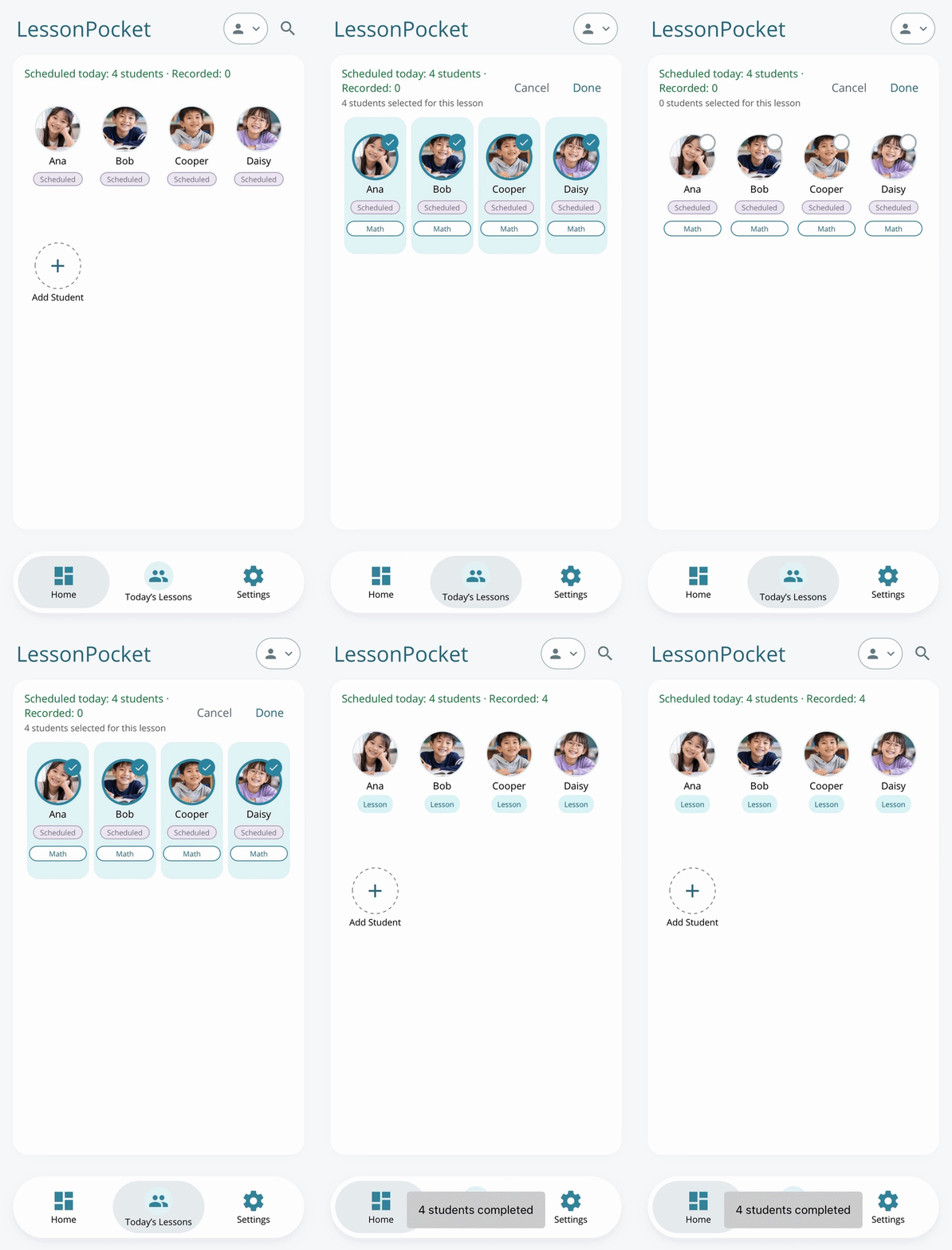
A clearer view of every student.
Organize students and groups, create courses and check remaining lessons. Swipe across students to select them, then confirm to save attendance in one place.
02 / ATTENDANCE & MAKE-UPS
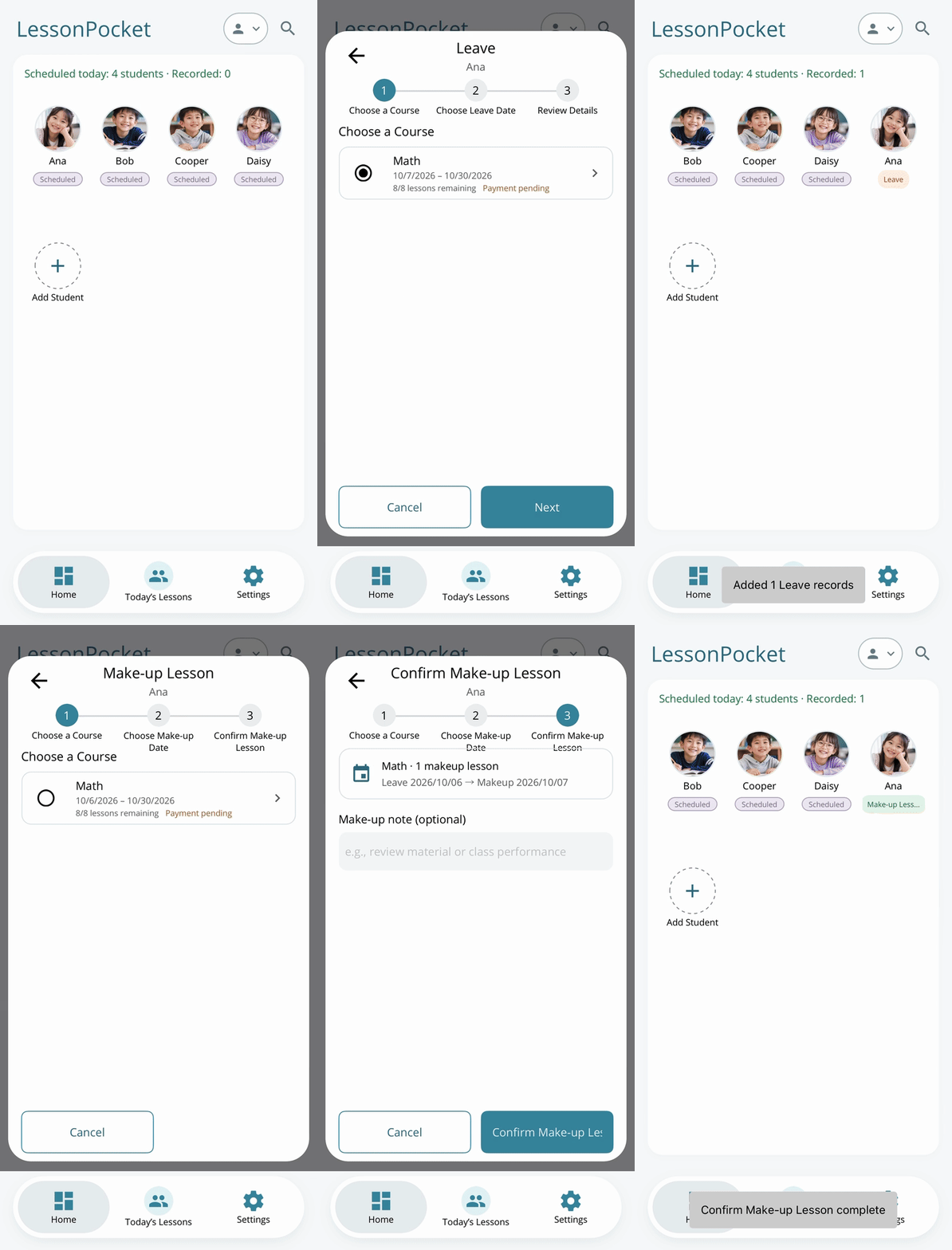
An absence does not have to become a loose end.
Record attended, missed and make-up lessons. See what still needs attention and keep a record when a make-up is completed.
03 / PAYMENTS & SHARING
Clear records. Easier conversations.
Record tuition, material fees, payments and refunds. Share a payment summary image or export transaction details as a PDF. Actual payments use the method you arrange with your students.
OUR STORY
It started with my wife’s English classes.
Watching my wife run a small English school, I saw how much work continued after class: scheduling, absences, make-ups and checking tuition records.
I built LessonPocket to help her keep those details organized—and to help other independent teachers spend more of their energy on their students.
— Jiji DevKit, creator of LessonPocket
CHOOSE THE CAPACITY YOU NEED
Start with the free plan.
FREE
10 students
Core lesson management features, with data stored locally on your device. A practical starting point for a smaller teaching roster.
PRO / ONE-TIME PURCHASE
150 students
More student capacity with the full lesson management features. Data stays local to your device.
PREMIUM / MONTHLY OR YEARLY
300 students
Automatic cloud backup, student photo sync and cross-device sync, alongside the lesson management features.
Capacity counts students who have not been deleted. Current prices, currencies and purchase terms appear in the app’s App Store or Google Play purchase screen. Premium renews automatically unless cancelled through the original store.
Frequently asked questions
Who is LessonPocket for?
Independent tutors, language teachers, music teachers, art and activity instructors, and small teaching studios that manage their own students and lessons.
Which devices are supported?
LessonPocket is available on iPhone, iPad and Android. Premium includes cross-device sync. Cloud backup and sync require an internet connection.
What can I do for free?
Manage up to 10 students with core features for students, schedules, remaining lessons, attendance, make-ups and payment records. PRO expands capacity; Premium also adds cloud backup and sync.
Does LessonPocket collect payments?
It records fees, payments and refunds, and helps you share payment information. It is not a payment processing service. Students pay using the method you agree on.
Where is my data stored?
Free and PRO primarily store data locally on your device. Premium provides automatic cloud backup and sync. Before replacing or resetting a device, check your backup and sync status. Privacy information and terms are available in the app’s settings.
What happens when Premium ends?
Existing local data remains, while new cloud backups, photo sync and cross-device sync stop. If your records exceed the lower plan’s limits, adding students and some new course actions are restricted. The app explains the applicable limits.
Which languages are available?
Traditional Chinese, Simplified Chinese, English, Japanese, Korean, German, Spanish and Hindi.
Make your next lesson easier to manage.
Add your first student and try recording today’s lesson.
Free download. In-app purchases available.

